 Extra
Expenses and petty cash
Crew snap a receipt on the phone. The office approves it, tracks each petty cash float and closes it out.
- Float report as a PDF
- Files for payroll and QuickBooks
Crew timesheets from a phone, in about twenty seconds. Approved and ready for payroll.
A product from ArosPlatforms




The office sets a show up once. After that, every shoot day runs from wrap to payroll without a piece of paper.
1 Office
Drop in the crew list and shooting schedule you already have: CSV, Excel or PDF. You check every row before it saves.

2 Crew
Everyone on the list gets one email. One tap and they are looking at today's timesheet. No password, no app store.
3 Crew
Call, meals and wrap, in about twenty seconds on a phone. It still works with no signal.

4 Crew
Still filling in a paper timesheet? Take a photo and the times are read off it. You check them before saving.

5 Crew
One tap sends the day to your department head. Nothing to hand in, nothing to chase.

6 Department heads and office
Department heads approve their own crew. The office gives the final yes, or sends one back with a note.
7 Office
Weekly timesheets, the DPR and the payroll batch file come out ready, with no retyping.
One screen for the shoot day: who worked, who has sent their day in, what is waiting for approval and which days need a second look.
Sample data. The show, the people and the times are invented.
Days with no warnings can be approved in one go. A long day or a late meal waits for someone to look at it.
The office can correct a day and give the reason. The crew member gets an email saying what changed.
With rates on the crew list, the dashboard shows an estimate of the week's hours and cost. Payroll's figure is still the final one.
Each person sees only what their job needs. The database enforces it, not just the screens.
Who worked, who has not submitted and whose day ran long, while there is still time to do something about it. These are the actual screens.
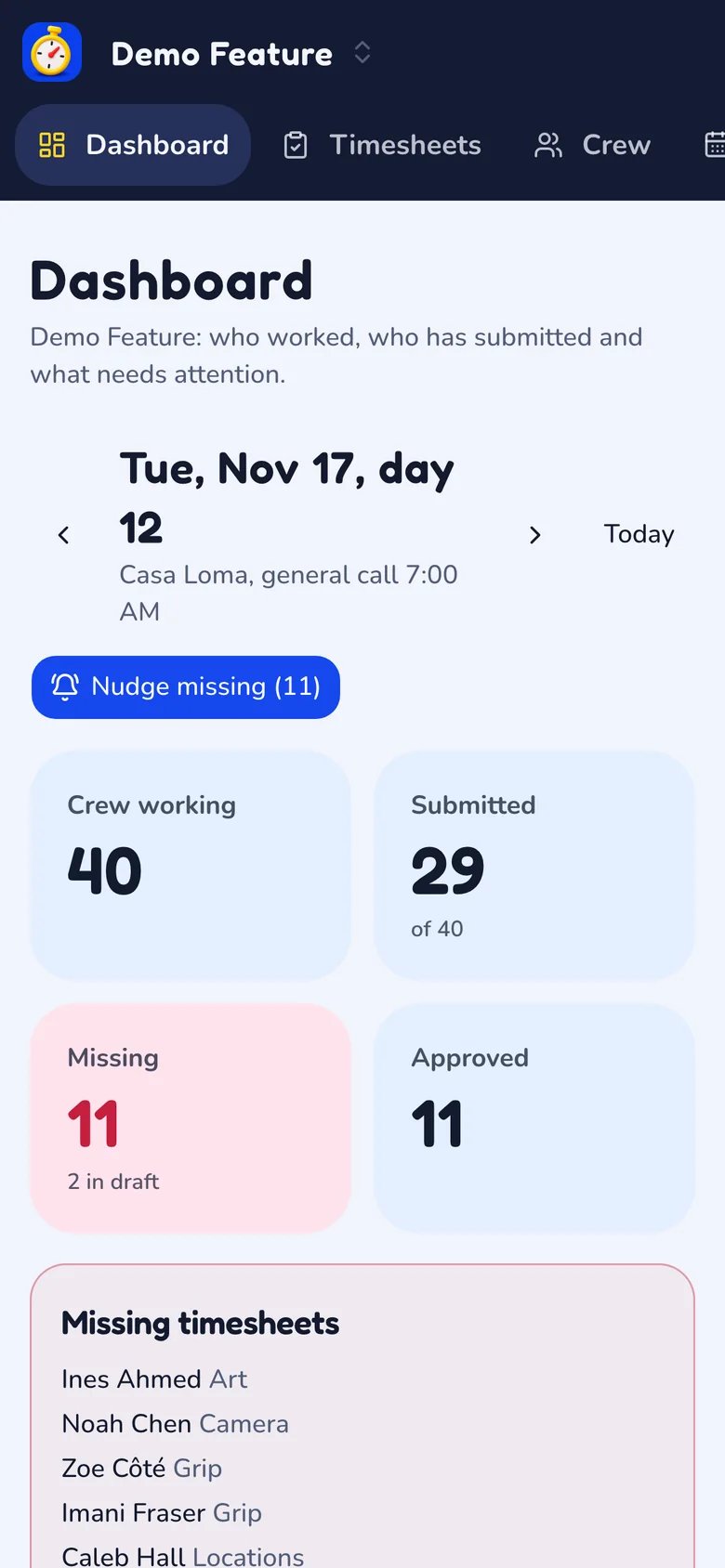
One shoot day: 40 people working, 29 sent in, 11 missing by name, and one button that reminds all eleven.
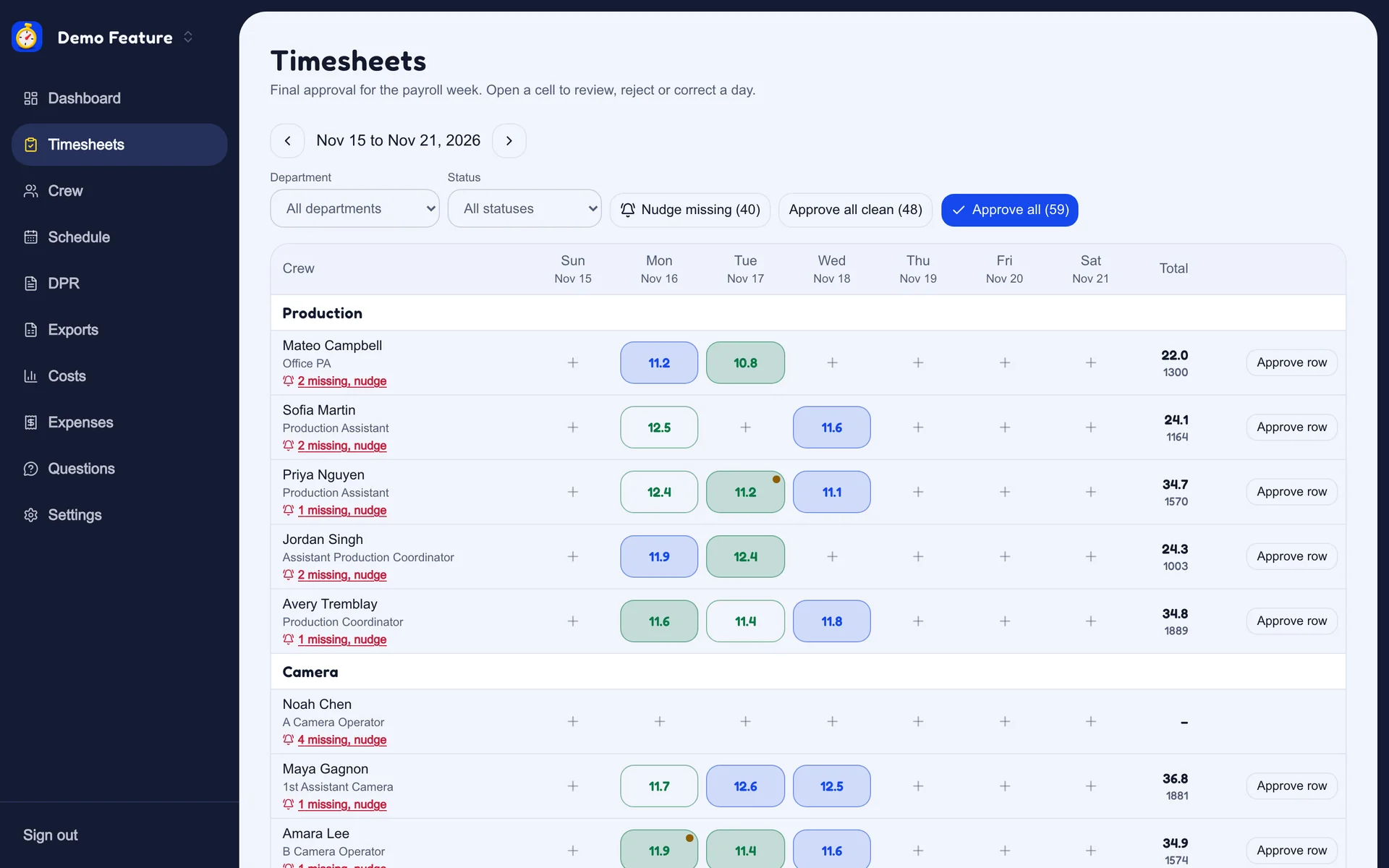
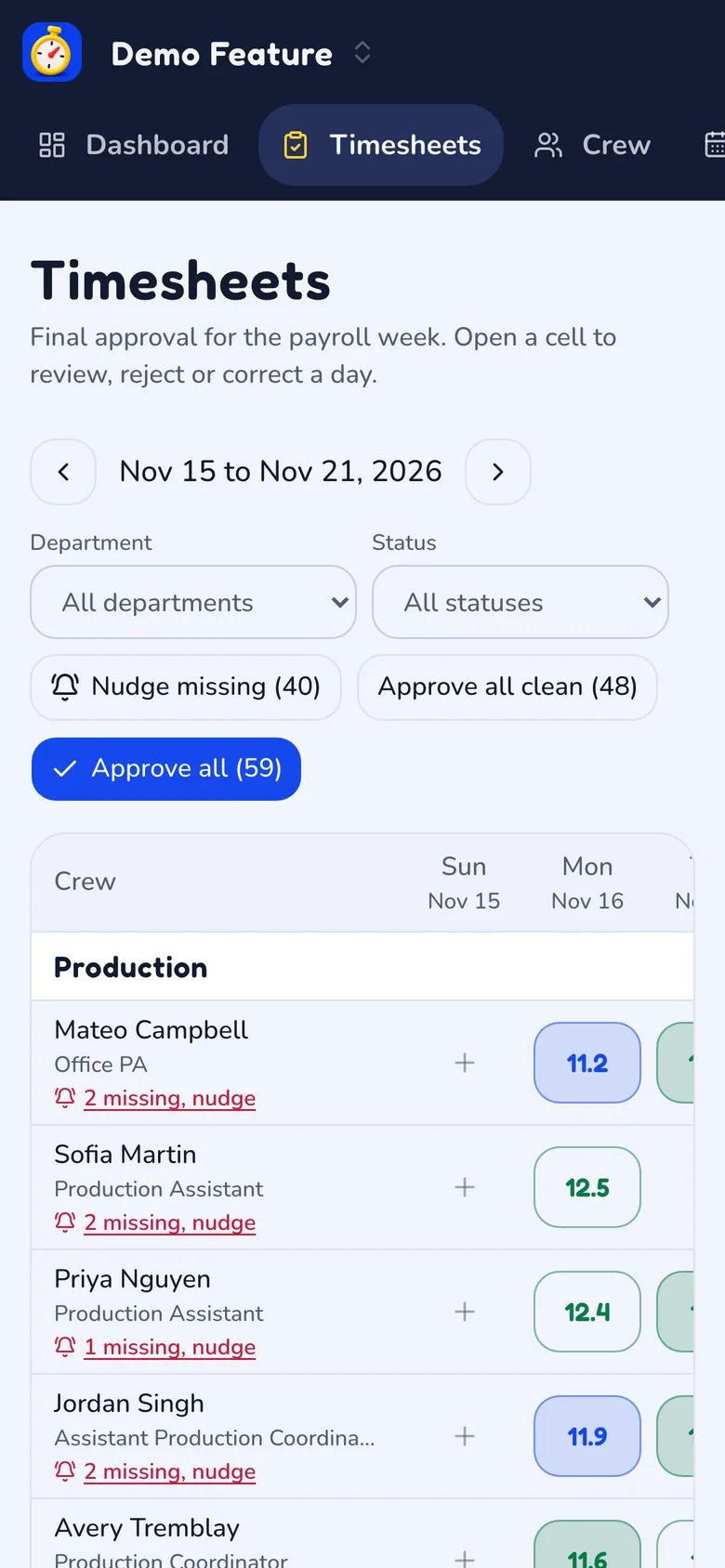
The payroll week as a grid. Each cell is one person's day, coloured by where it stands. Approve a row, or every clean day at once.
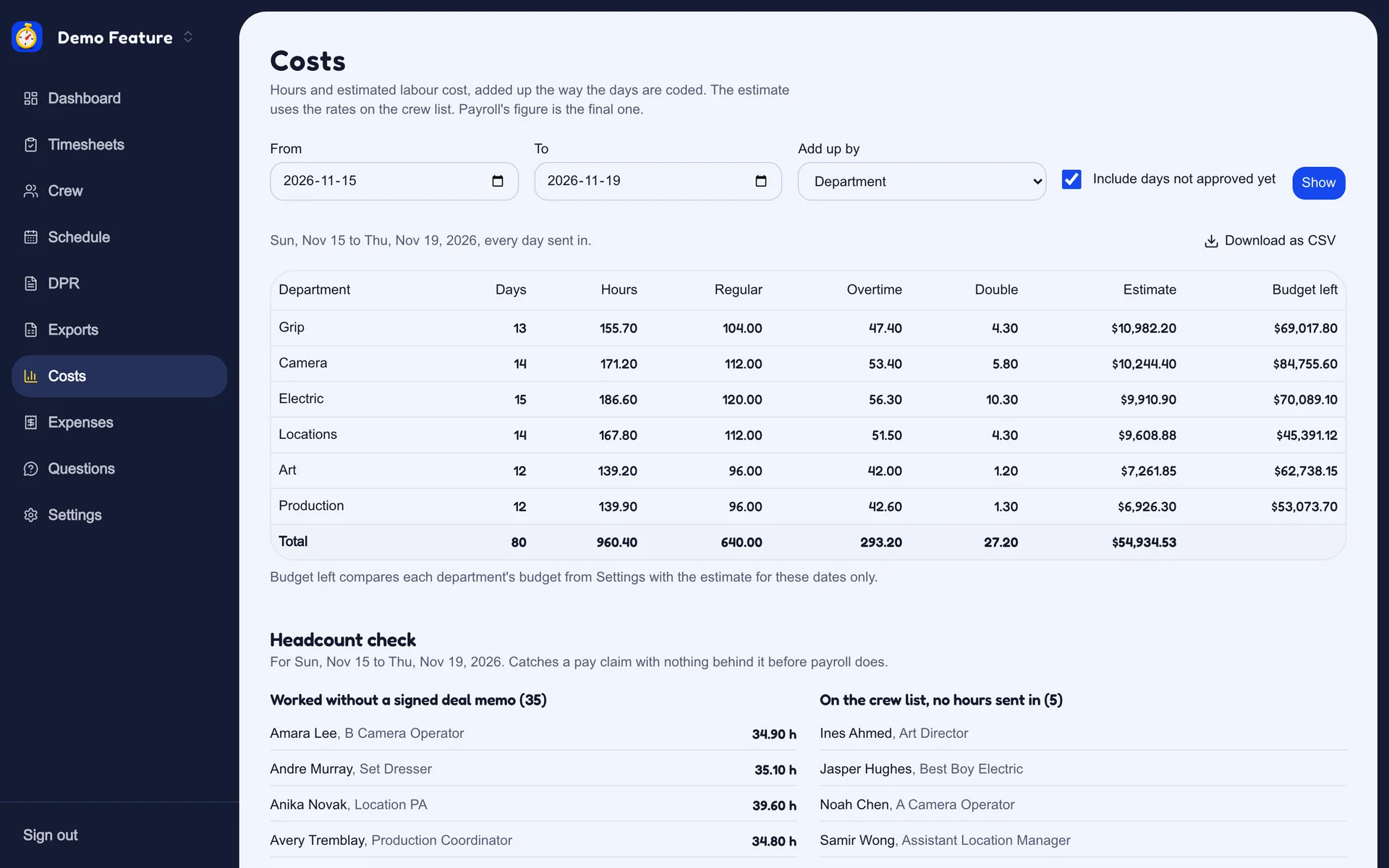
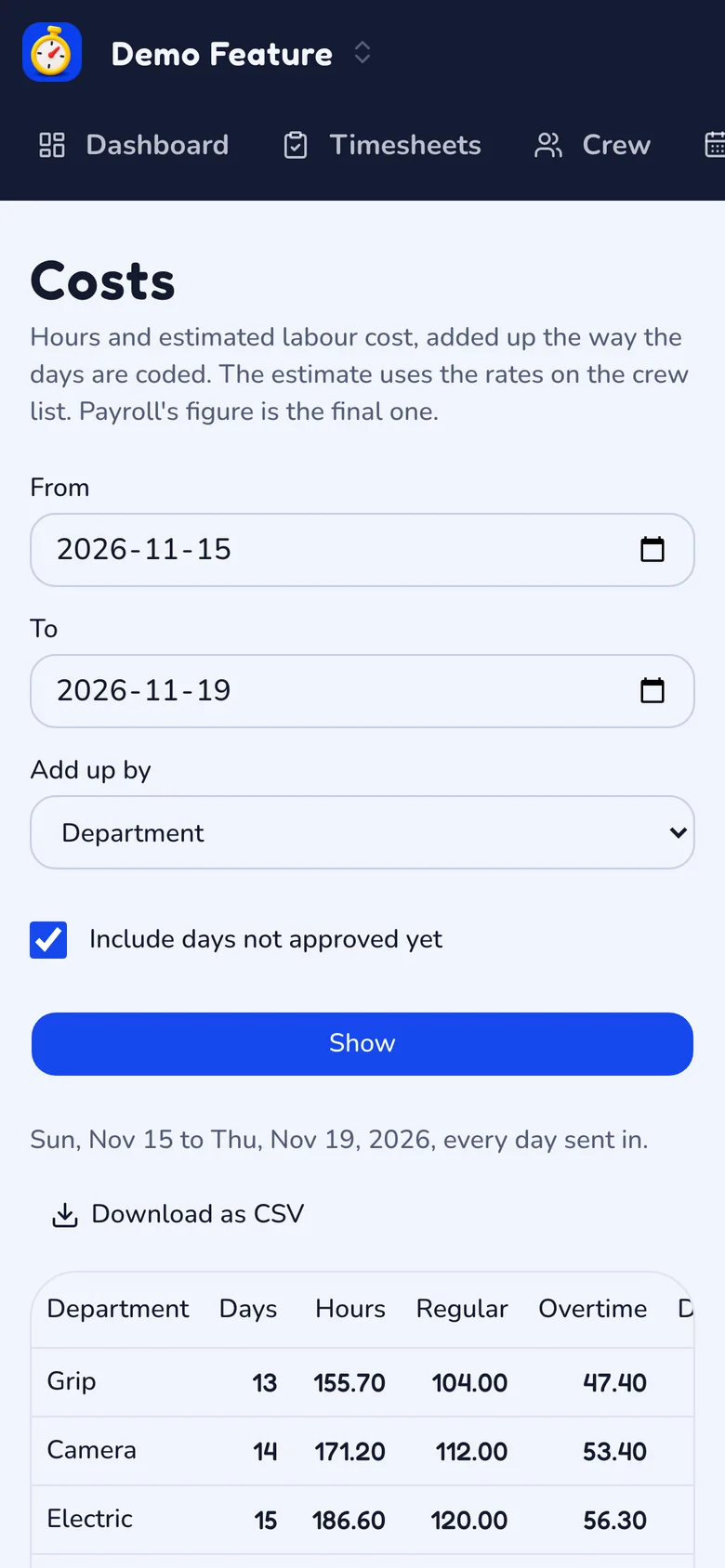
Hours and estimated cost by department, with what is left of each budget, and a check for anyone with hours and no signed terms.
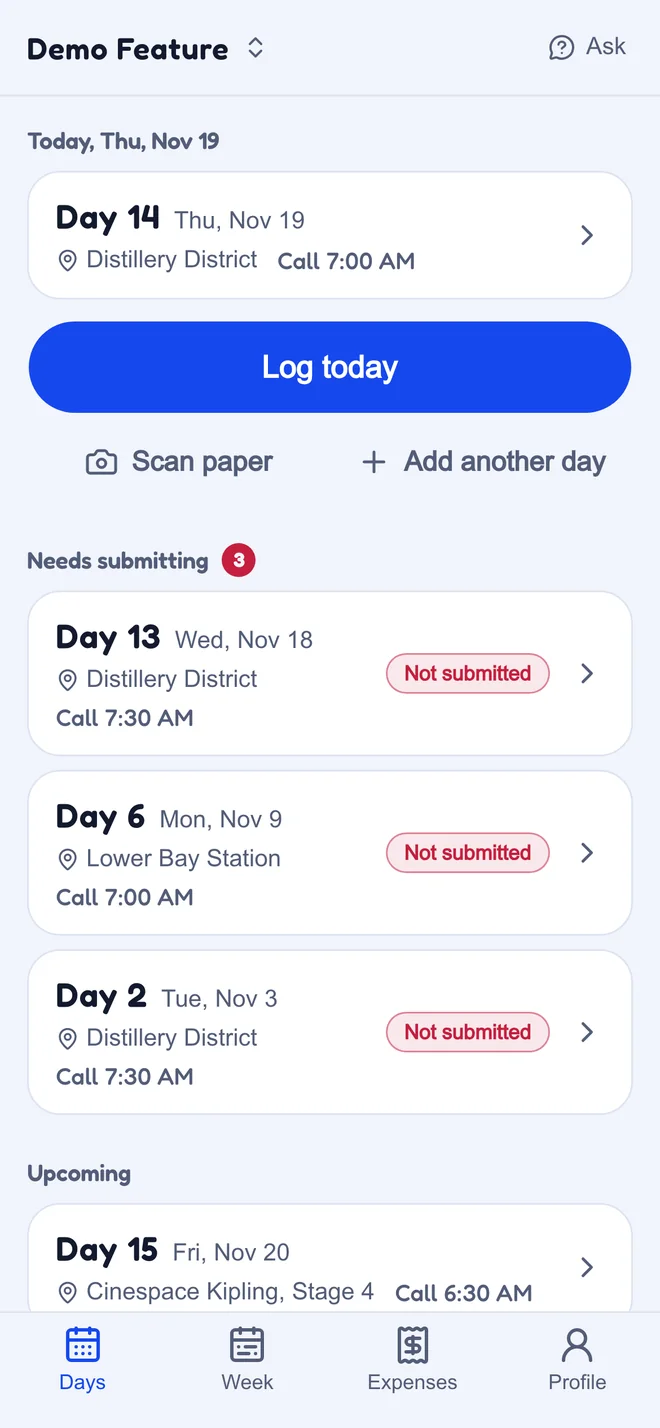
The crew's side, on a phone.
One shoot day: 40 people working, 29 sent in, 11 missing by name, and one button that reminds all eleven.
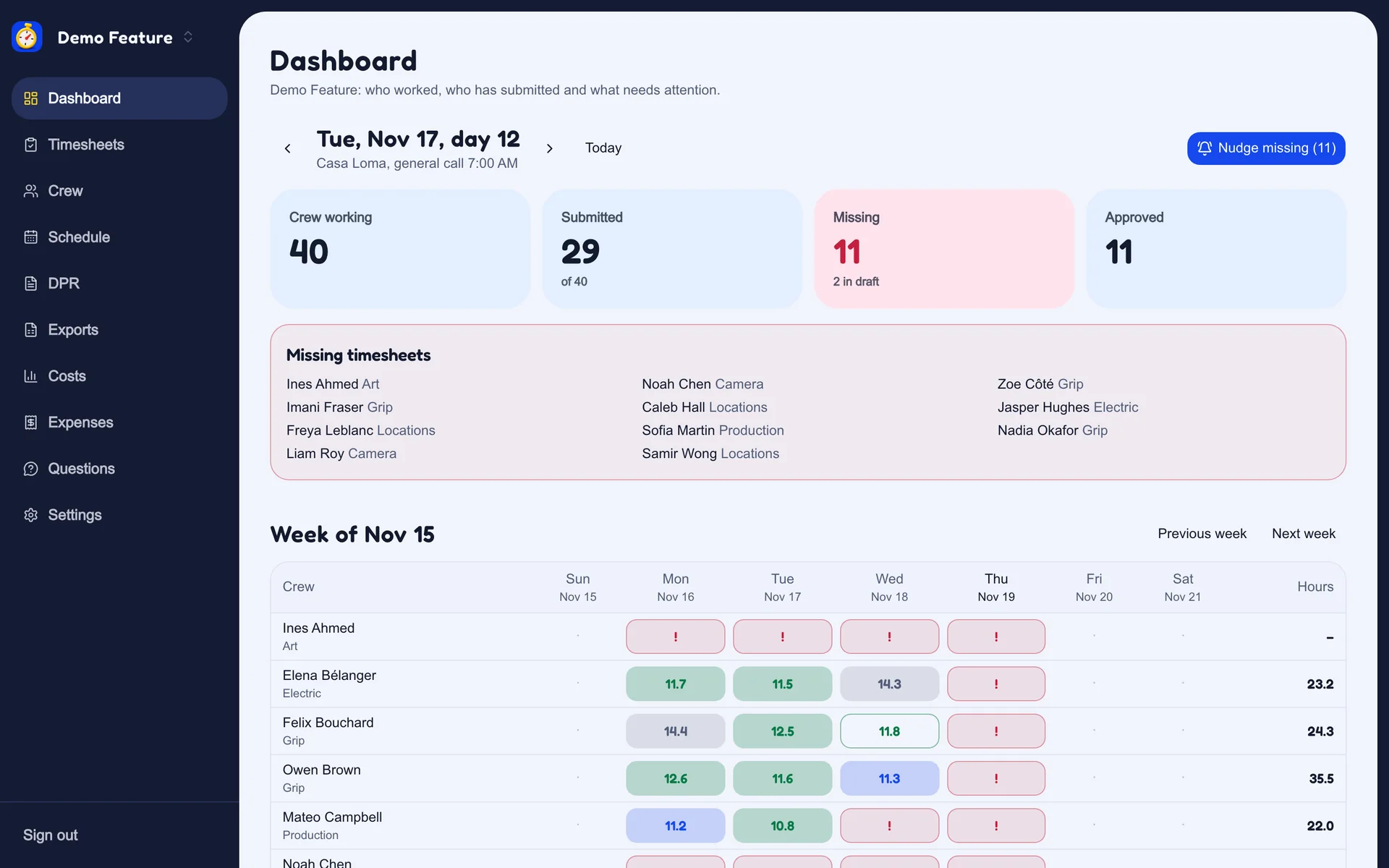
Real screens from arostime, on a demo production. The people and the figures are invented.
A reminder goes out at 9pm to anyone who worked and has not submitted. One tap nudges the rest.
A long day, a late meal or a short turnaround shows up before payroll does, with an estimate of the week's overtime and sixth and seventh days. You set the rules.
A 1:12 AM wrap belongs to the day it started on, worked out in the production's own time zone.
Made when the payroll week closes and emailed to each crew member. The office can take the whole week as one ZIP.
Crew in and out times by department, call, wrap and scenes come straight from the day. Add the script notes and finalize.
CSV layouts in the style of Entertainment Partners and Cast & Crew, with columns you can reorder and rename.
These are starting layouts. Confirm the format with your payroll contact.
Night shoots, basements, stages with one bar of signal and a crew that has been up since five.
The crew app installs on the phone, saves the day offline and sends it when the bars come back.
Photograph a paper timesheet and the times are read off it. The crew member checks them before saving.
No government ID numbers, banking details or tax forms. Crew see only their own hours.
Each company signs in at yourcompany.arostime.com, with all of its productions in one place.
The same complaints come up in crew forums and app reviews, over and over. We built arostime around them.
I can't get past the login to send my hours.
No passwords. One link in an email and you are in, and you stay in.
I never know if my timecard went through.
Every day shows where it is: sent in, department head, office, payroll.
The app won't take a wrap after midnight.
Type 26.3 or 2:18a. The wrap stays on the day it started.
I retype my kit rental every single day.
The office sets it once. It is on every day after that.
Nobody tells me when pay day is, or who to ask.
The office fills it in once and it sits beside your week.
I need my hours for my union and for tax time.
Download every day you sent in on the show, whenever you like.
Approving cards one at a time eats my Saturday.
Approve the clean days together, and fix a wrong time yourself.
Someone claims a day and we have no record of them.
The headcount check lists who has hours and no signed terms.
Every company gets timesheets, approvals, the DPR and payroll files. These four are built and working, and we switch on the ones you ask for in your quote.
ExtraCrew snap a receipt on the phone. The office approves it, tracks each petty cash float and closes it out.
ExtraSend each person their rate and terms. They read and sign on the phone, and the signed PDF is filed with the production.
ExtraCrew sign their week, the office countersigns, and both signatures print on the weekly PDF.
ExtraA crew member asks a question from the app. Their department head answers first and passes it to the office if needed.
These four are not built yet. They are what we are working on next.
 Coming
Tag crew and spend with residency and eligibility, and watch a live estimate of the credit.
 Coming
A draft call sheet from the shooting schedule, texted to every crew member.
 Coming
Upload a script and get scenes, cast and locations pulled out, with a draft stripboard schedule to rearrange.
 Coming
Ask the show a question and get an answer from its own call sheets, DPRs, receipts and contracts.
Something else? Ask us with the pricing form.
No. Each person gets an email with a link and is signed in with one tap. They can add arostime to their home screen like an app, and there is nothing to download from a store.
arostime does not run payroll. It hands your payroll company a file: CSV layouts in the style of Entertainment Partners and Cast & Crew, and a general CSV where you choose, order and rename the columns. Confirm the layout with your payroll contact before the first run.
Name, email, phone, position, rate and hours. We do not collect social insurance or social security numbers, banking details or tax forms. Those stay with your payroll company.
The crew app keeps working. The day is saved on the phone and sent as soon as the phone is back online.
Yes. Put a person's kit rental, car, phone or per diem on the crew list, each day or once a week, and it is added to their days for them.
No. It splits each day into regular, overtime and double time by the rules you set, with sixth and seventh days and meal penalties, and shows the office an estimate. Your payroll company applies the union agreement, and its figure is the final one.
No. Crew see their hours and where each day stands on its way to payroll. Rates and estimates are for the production office and the accountant.
In Canada. The database and stored files are in the Canada (Central) region in Montreal. Email, hosting and document reading are done by companies that may process data outside Canada. The privacy and security page lists them.
Only your own company. The separation is enforced in the database, not just on the screens, and office accounts sign in with a second step. The privacy and security page has the details.
By company, from how many productions you run and the size of your crews. Extras are added to the quote if you want them. Crew never pay.
This site is in French and English. The app itself is in English today.
Tell us how many productions and how many crew. We reply by email with a price and set up your company address.