Made for crew
After a fourteen-hour day you want to wrap, log your hours and go home. One link in your email, three times to enter, and you can see where your day stands.

Your day, in four taps
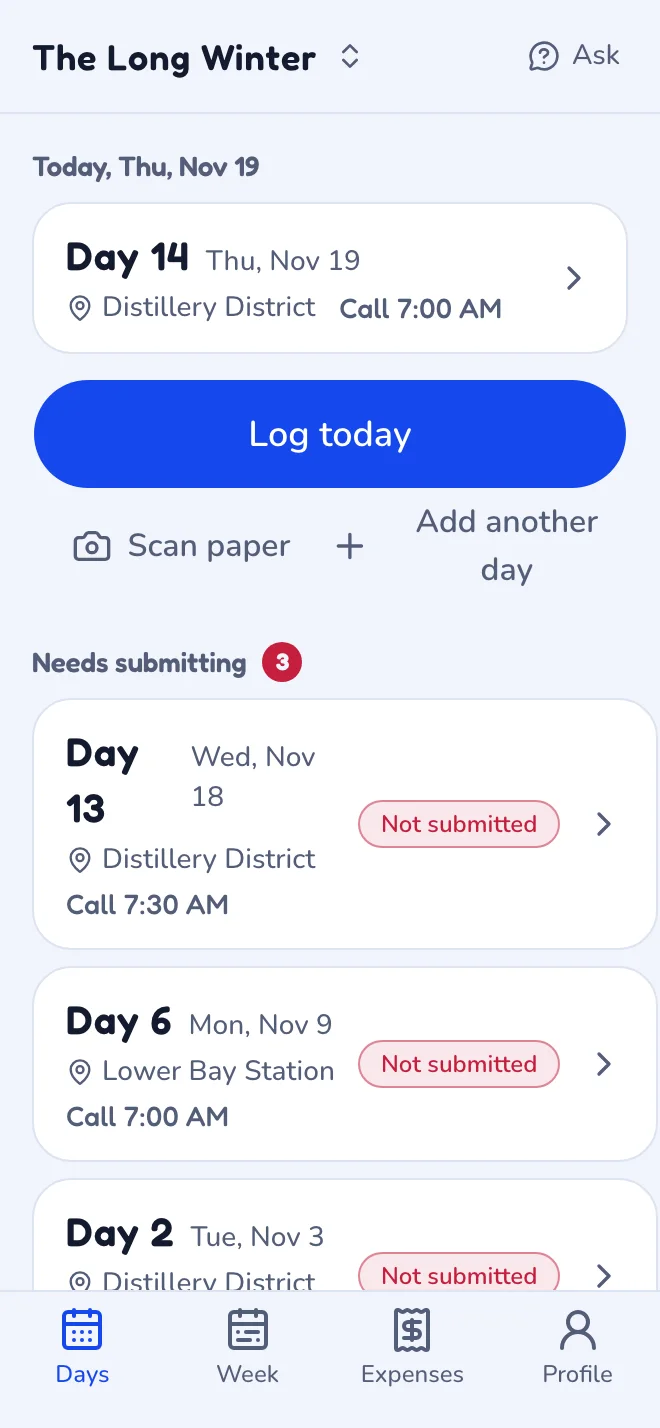
- First day
Tap the link
The office sends one email. The link opens today's timesheet in your phone's browser. Nothing to download and no password to remember.
- At wrap
Enter your times
Call, meals and wrap, plus anything extra like a kit rental. About twenty seconds, and it saves on your phone if there is no signal.
- Paper timesheet?
Snap it
Take a photo of a paper timesheet and the times are read off it. You check them before saving.
- After
See where it stands
Each day shows its status: sent in, with your department head, with the office, sent to payroll.
A real screen from arostime, on a demo production. The people and the figures are invented.
What you stop doing
- Hunting for a paper timecard at wrap
- Getting locked out by a forgotten password
- Wondering whether your hours went through
- Retyping your kit rental every single day
Built for a set, not an office
- Works with no signal and sends when you are back in range
- A wrap after midnight stays on the day it started
- In English, French or Spanish, your choice
- Download every day you sent in on the show, whenever you like
Your private details stay private
ArosTime never asks for your SIN or SSN, your bank details or your tax forms. You enter your times and nothing else.
Questions people ask
Do I need to install an app?
No. It runs in your phone's browser from a link in your email. You can add it to your home screen so it opens like an app.
What if I have no signal at wrap?
Your day is saved on your phone and sent automatically when the signal comes back.
Can I sign up myself?
Your production office adds you from the crew list and you get an email with your link. If your show does not use ArosTime yet, send your coordinator to arostime.com.