Made for producers and line producers
You should not have to wait a week for payroll to learn what Tuesday cost. ArosTime shows the day's hours, penalties and labour cost the same night, on one screen.

A shoot day, from your side
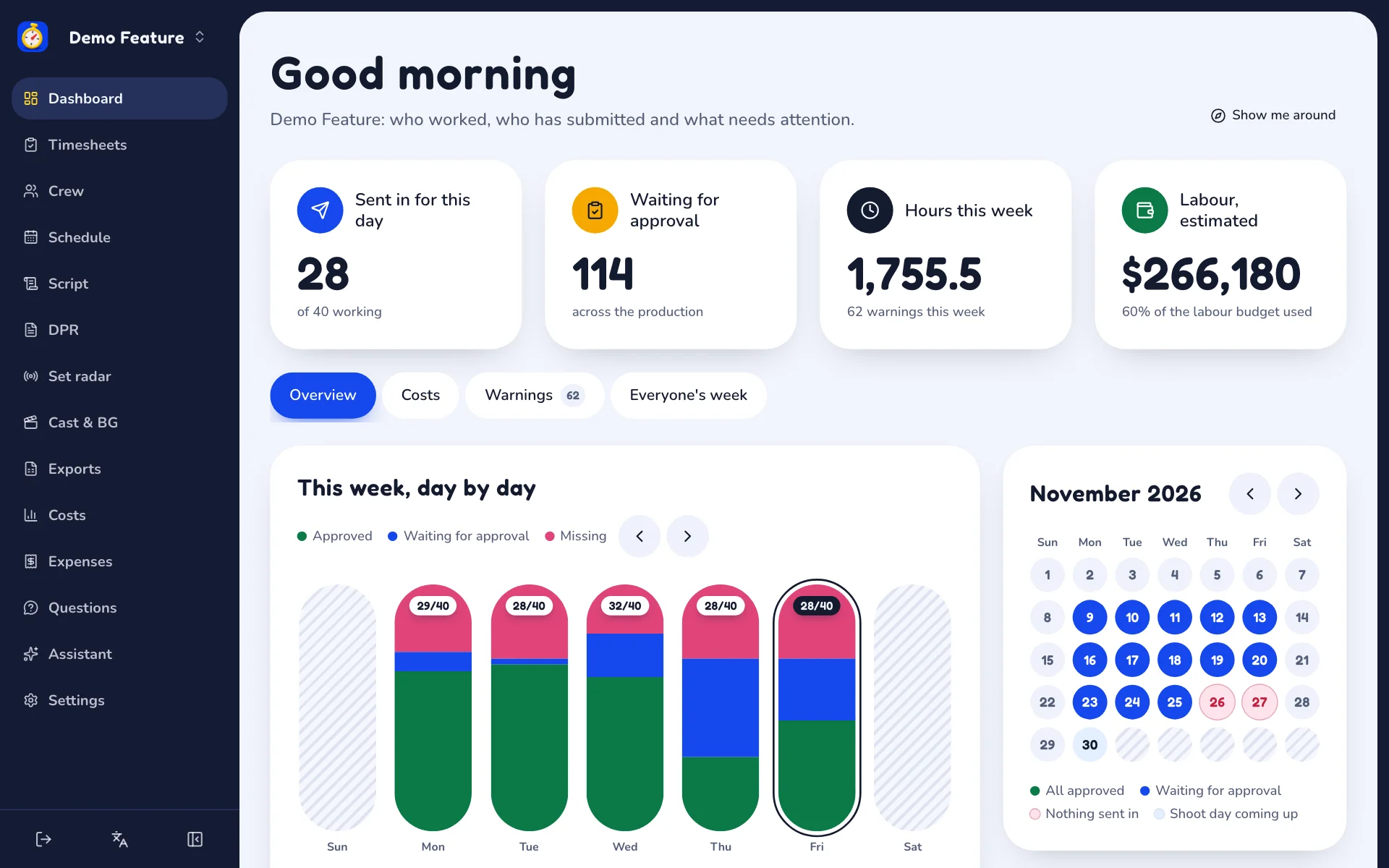
- Morning
Open one screen
The dashboard shows how many timesheets came in yesterday, what is waiting for approval and how much of the labour budget is used.
- On set
Watch the penalties before they land
Late meals, long days and short turnarounds are flagged per department, with an estimate of what each one costs.
- At wrap
Know what the day cost
The hot cost adds up estimated labour by department from the hours crew just logged, against each department's budget.
- Friday
Send the week on
Approved hours leave as weekly timesheets, the DPR and a payroll file laid out for your payroll company.
A real screen from arostime, on a demo production. The people and the figures are invented.
What you stop doing
- Waiting on payroll to learn what a day cost
- Phoning departments to ask who has not handed in a timecard
- Finding out about a meal penalty after it is owed
- Reading overtime off a spreadsheet someone rebuilt by hand
The numbers a producer asks for
Everything on the dashboard comes from the hours crew logged on their phones and the rates on your crew list. They are estimates for running the show; your payroll company's figure is the final one.
- Estimated labour by department against its budget
- A daily hot cost after every wrap
- Overtime, double time, sixth and seventh days for the week
- Purchase orders counted into department spend
Works with the payroll company you already have
ArosTime does not run payroll and does not ask you to change who does. It exports approved hours in layouts styled for Entertainment Partners and Cast & Crew, or with your own columns.
Questions people ask
Do I have to change payroll companies to use ArosTime?
No. ArosTime collects and approves hours and exports a file for whichever payroll company you use. It never processes pay itself.
Are the cost figures official?
No. They are estimates worked out from logged hours, the rates on your crew list and the union rules you chose. Payroll's calculation under the signed deal memo is final.
What does it cost to try on one show?
One production with up to 25 crew is free, with no card. For more, ask for a quote from the pricing page.