Made for 1st and 2nd ADs
You are the one watching the clock. ArosTime shows when each department hits its meal penalty and what wrapping later costs, so the call you make is an informed one.

- meal and overtime times on the set radar
- By department
- to confirm a call sheet
- 1 tap
- check-in for background, with no SIN or SSN
- QR
- wrap cost simulator, no sign-in
- Free
A shoot day, from the AD's side
- The night before
Know who is coming
The call sheet goes to each person by email and phone alert, and each one confirms with a tap.
- On set
Watch the clock that costs money
The set radar lists when each department reaches its first and second meal, overtime and double time.
- Before you call wrap
See tomorrow's cutoff
The latest wrap that still keeps turnaround for tomorrow's call is shown before you call it.
- At wrap
Wrap cast and background
Performers initial their wrap in one tap, and background check in and out from a QR code.
- After wrap
The report is mostly written
Crew in and out times, call, wrap and the scenes scheduled are already on the daily production report.
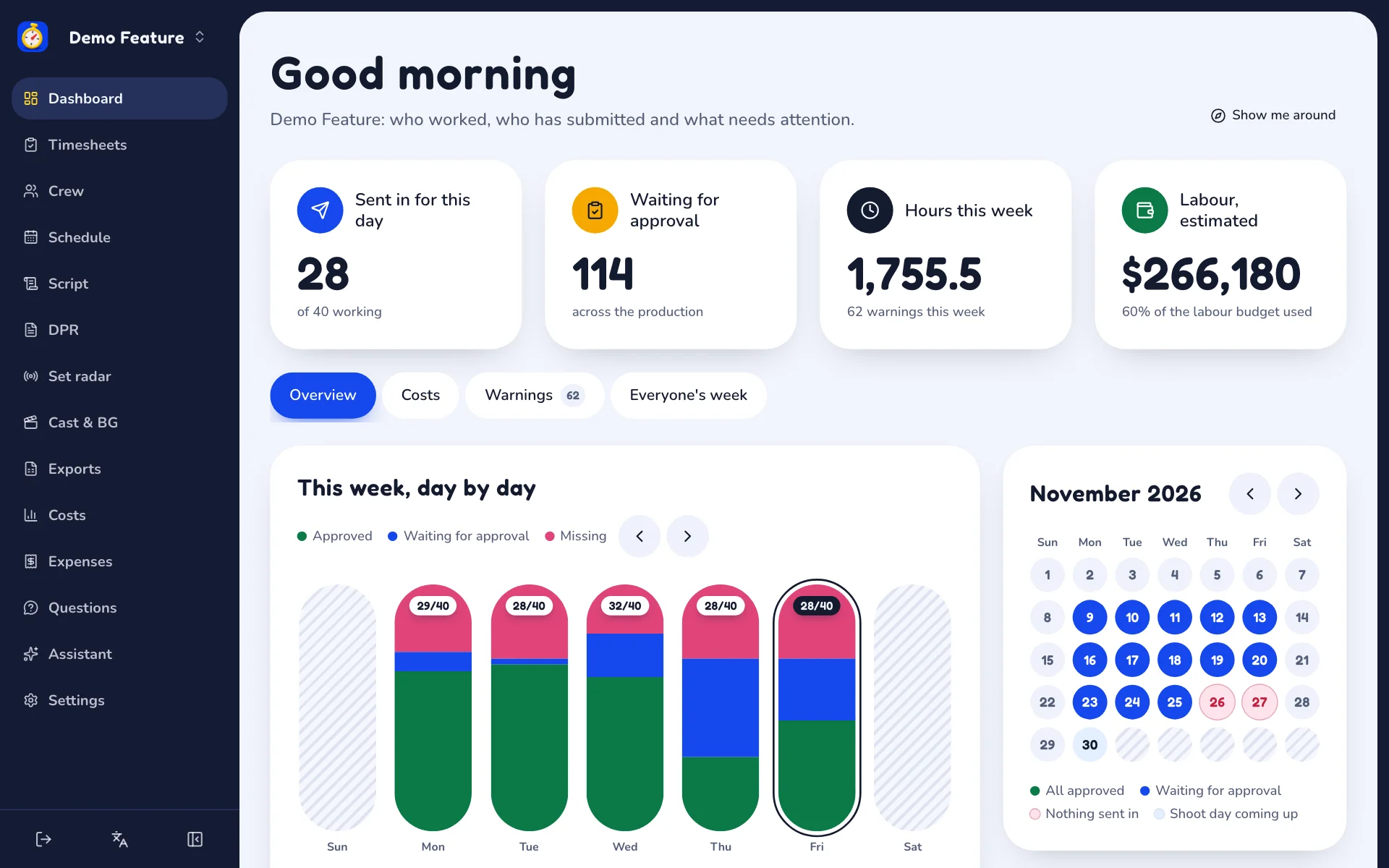
A real screen from arostime, on a demo production. The people and the figures are invented.
What you stop doing
Doing meal penalty maths in your head
Holding a clipboard of Exhibit G sheets at wrap
Texting to ask who got the call sheet
Retyping in and out times into the DPR
The tools an AD uses






Before and after
| Paper and spreadsheets | With ArosTime | |
|---|---|---|
| Meal penalties | Worked out from memory | Listed per department, with the time |
| Tomorrow's turnaround | Checked against the call sheet by hand | A wrap cutoff shown before you call it |
| The call sheet | Emailed and hoped for | Sent to each person and confirmed |
| Exhibit G | Paper, initialled at wrap | Wrap initials in one tap |
| Background | Paper vouchers | QR check-in, counted into the DPR |
Getting it on your set
The office sets up the show
They upload the crew list and add each person's union agreement.
The schedule goes in
Call sheets start from the shooting schedule, so the day's scenes and location are already there.
Open it on your phone or tablet
The set radar and cast screens are made for a phone or a tablet on set.
Estimates to help you decide
Penalty and overtime times come from the union rules the office chose for each person. They are there to inform the call; your payroll company's calculation is final.
Cast and background without paper
- Performer turnaround and meal alerts before dismissal
- Exhibit G exported as a PDF for accounting
- Background headcounts by union, non-union, stand-in and photo double
- Bumps assigned with a tap, and groups wrapped together
Questions people ask
Which union rules does the set radar use?
The agreement set for each crew member on the crew list. 41 agreements are built in, and the office can set its own rules.
Do background performers need an account?
No. They check in from a QR code on their own phone, with no password and no SIN or SSN.
Can I try the wrap maths without signing up?
Yes. The wrap cost simulator on this site is free and needs no sign-in.
Does the call sheet tell me who has read it?
Yes. Each person confirms with one tap, and one button reminds everyone who has not answered.
What languages does crew see?
English, French or Spanish, as each person chose.
Is all of this in the free plan?
Timesheets, approvals, the schedule and the daily production report are. Call sheets and script breakdown are extras the office can ask to have switched on.