Everything a production does with crew hours, in one place
ArosTime takes a shoot day's hours from the crew's phones to the file your payroll company asks for. Along the way it checks them against the union rules, gets them approved and shows what the day cost.

- for crew to log a day on their phone
- 20 sec
- union agreements built in
- 41
- languages: English, French, Spanish
- 3
- for one production and 25 crew
- Free
The product, area by area
Six parts that share one set of numbers. The hours crew log are the hours you approve, cost and export.
Set up the show
Upload the crew list and shooting schedule you already have as CSV or Excel, match the columns and check each row before it saves. Or copy an earlier production and bring returning crew across from your rolodex.

On set
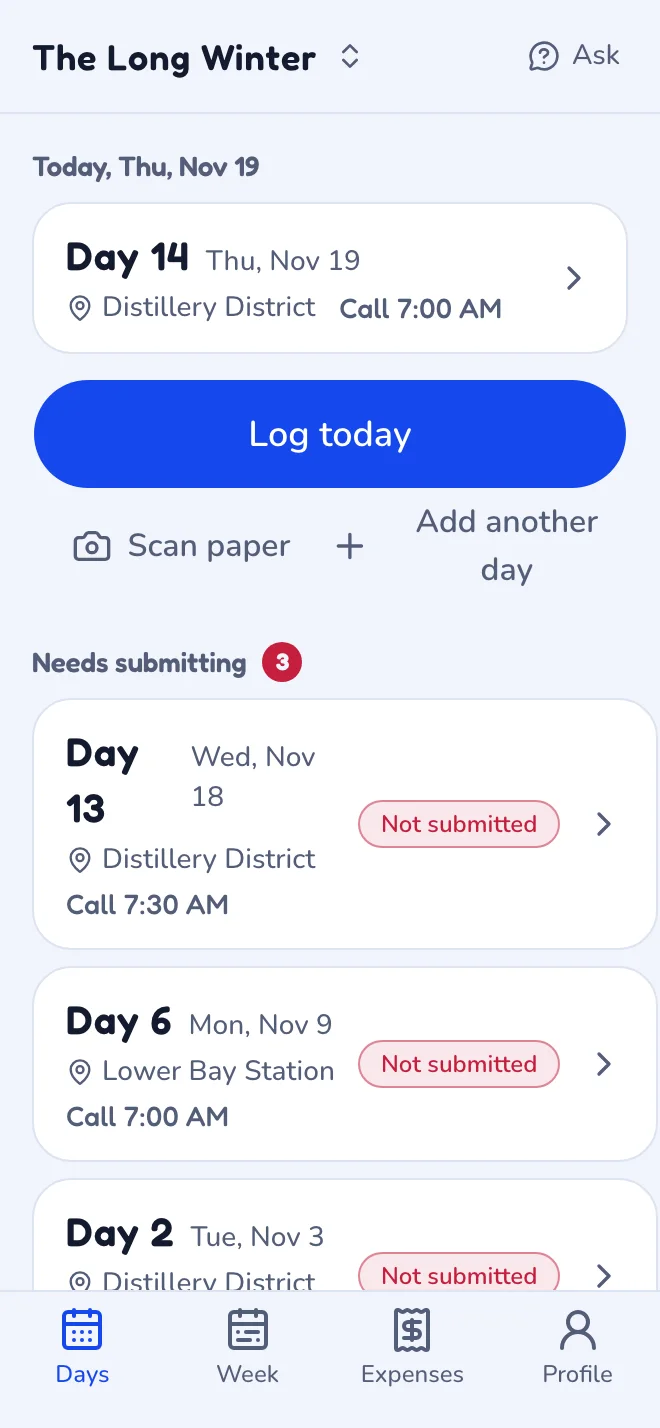
Each crew member gets one email link, with no password and no app store. They log call, meals and wrap in about twenty seconds, even with no signal, and day players check in from a QR code.
In the office
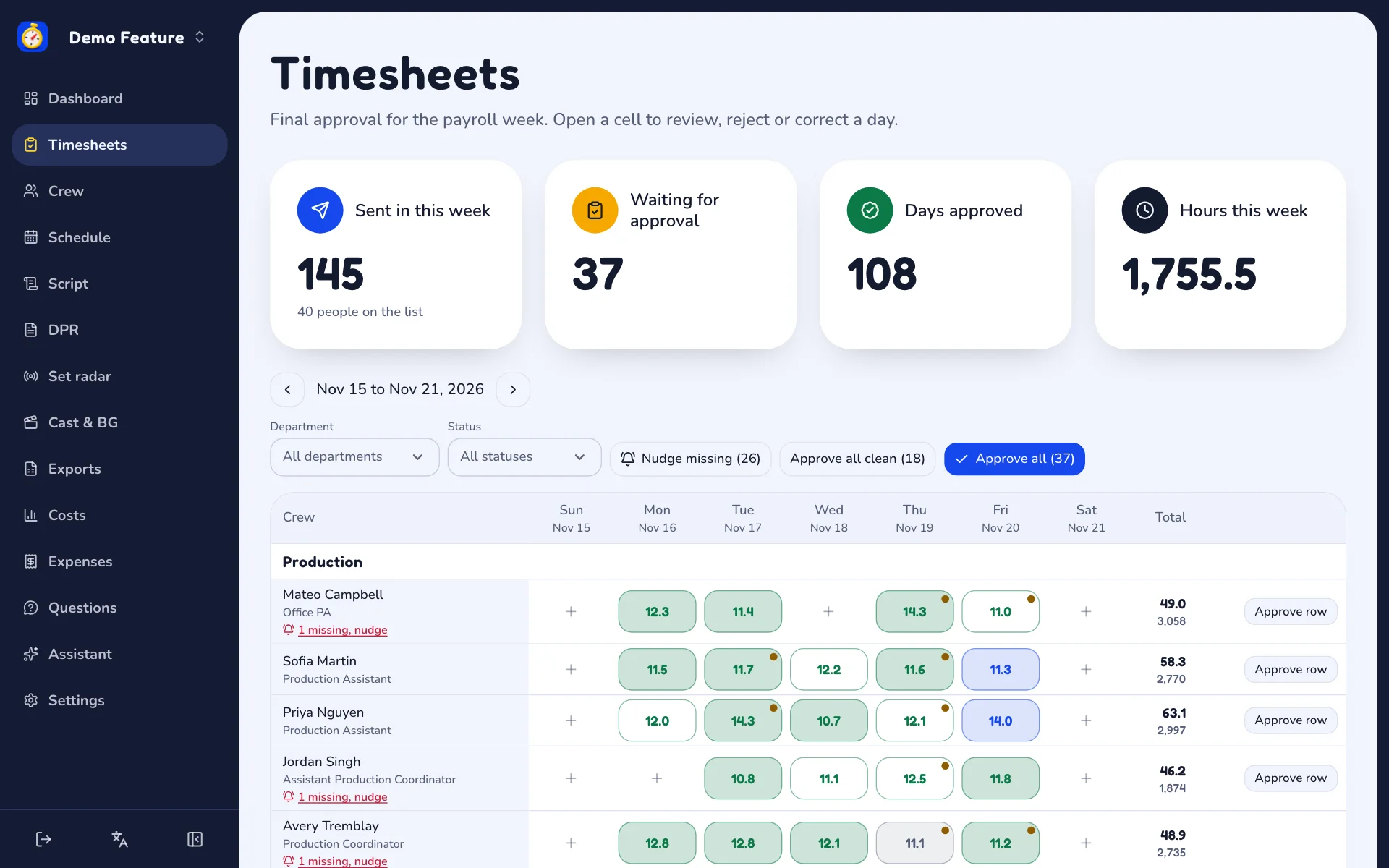
A reminder goes out at 9 PM to anyone who has not submitted. Department heads approve their own crew, then the office approves the show. Long days, late meals and short turnarounds are flagged, and the daily production report opens with the crew's times already in it.
The money
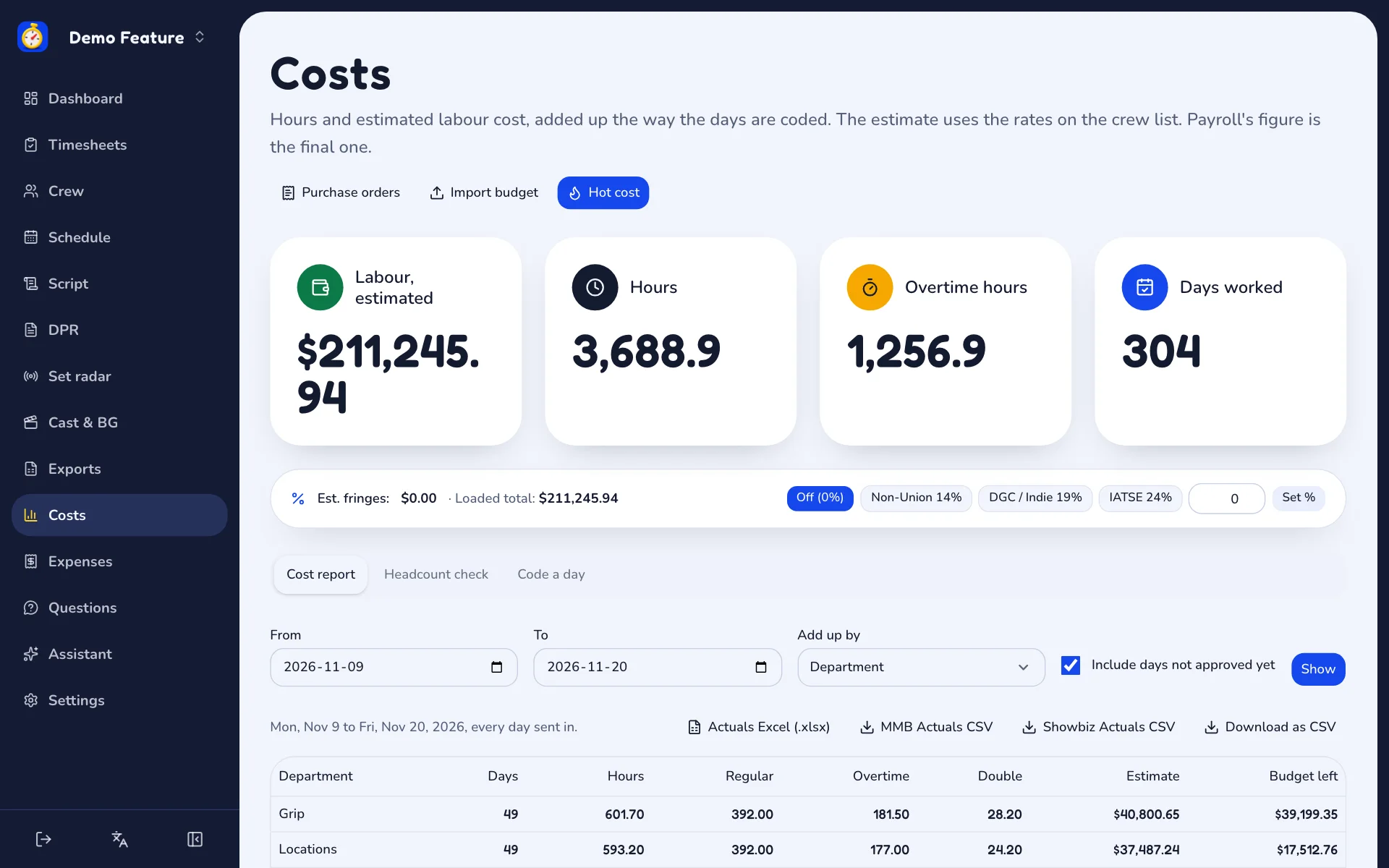
After every wrap, see estimated labour by department against the budget you set, and a one-page hot cost for the day. Purchase orders count into each department's spend. These are estimates for running the show; your payroll company's figure is the final one.
The hand-off
Approved hours leave as a file laid out for the payroll company you already use, with weekly timesheet PDFs for each person. You keep your payroll company; ArosTime gives them clean hours.

Ask it a question
Connect Claude, ChatGPT or Grok to your show and ask in plain words who is missing a timesheet or which department is closest to budget. It is read-only. Two tools on this site are free for anyone, with no sign-in.

Real screens from arostime, on a demo production. The people and the figures are invented.
What ArosTime is not
Not a payroll company
It does not pay anyone or file taxes. It collects and approves hours, then hands a clean file to the payroll company you choose.
Not a place for SIN, SSN or bank details
There are no fields for them. Crew are asked for a name and an email, and nothing about tax or banking.
Not the final pay figure
Cost figures are estimates from logged hours and the rates on your crew list. They are for running the show, not for cutting cheques.
Try it on one show
Create your company
Pick your company address and add the production. One show with up to 25 crew is free, with no card.
Add your crew
Upload the crew list, or add a few people by hand and log a test day on your own phone.
Send the invites
Everyone gets one email with a link. Hours start arriving at the next wrap.
Questions people ask
What is ArosTime, in one sentence?
It is timesheet software for film and TV crews: crew log their day on a phone, the office approves it, and approved hours export as a file for your payroll company.
What is included, and what is an extra?
Every company has timesheets, approvals, the schedule, the daily production report, costs, reminders and payroll files. Items marked Extra on this page are switched on by request and quoted.
Does it replace our payroll company?
No. ArosTime does not run payroll. It exports approved hours in the layout your payroll company asks for.
What does it cost?
One production with up to 25 crew is free, with no card and no time limit. Bigger crews, more productions and extras are quoted from the pricing page.
Where is our data stored?
In Canada or the United States, chosen once when your company signs up.