Made for department heads
You should not finish a fourteen-hour day by collecting timecards. Your crew log their own hours, and approving your department takes a minute on your phone.

- to approve every clean day
- One go
- you approve your own department
- Your crew
- name one while you are away from set
- Stand-in
- no laptop needed
- Phone
A shoot day, from your side
- At wrap
Your crew log their own day
Each person enters call, meals and wrap on their phone. Nothing is handed to you.
- That night
The missing ones are chased for you
A reminder goes out at 9 PM to anyone who worked and has not submitted.
- Next morning
Approve the clean days together
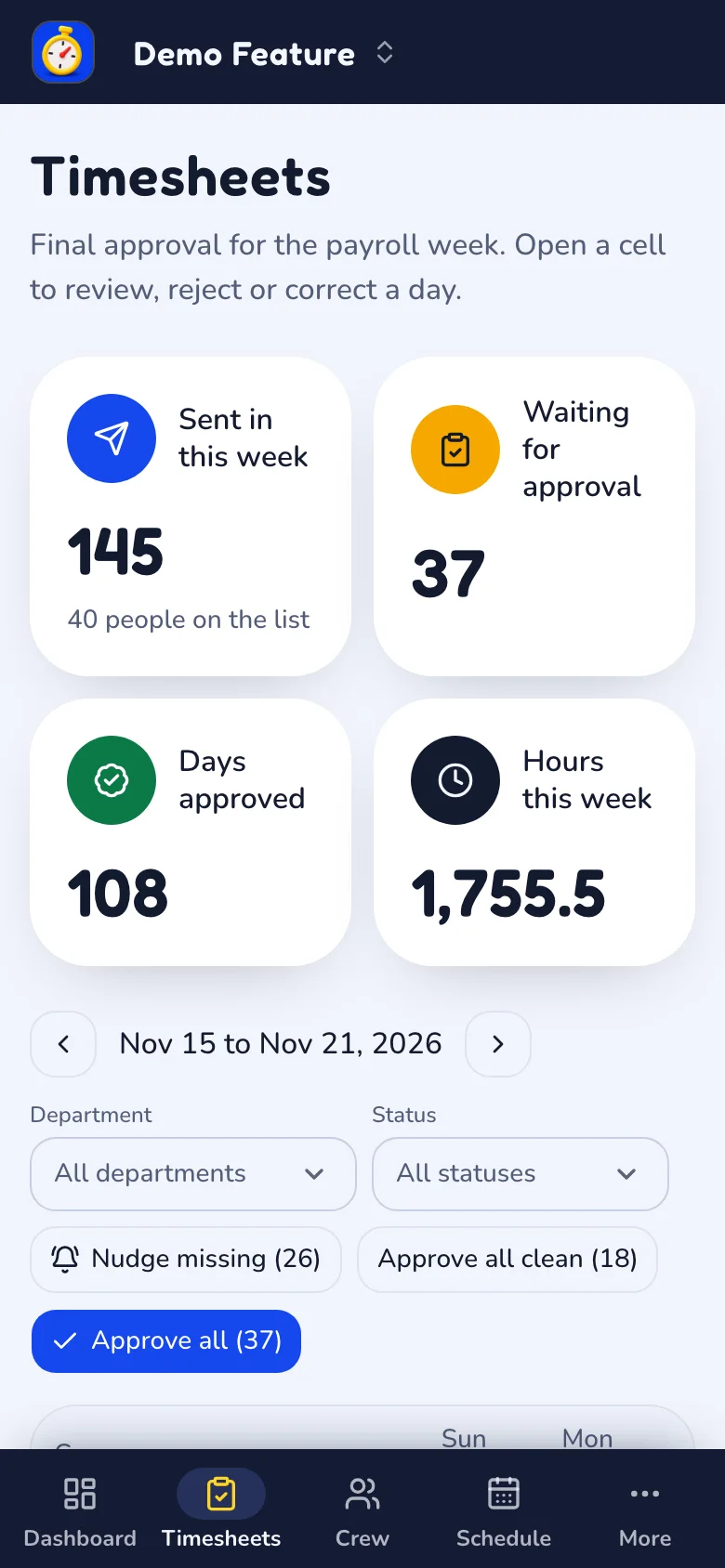
Days with nothing unusual are approved in one go.
- If something is off
Look at the flagged days
A long day, a late meal or a short turnaround is marked, with the times beside it.
- Then
It goes to the office
The production office gives the final approval. Your part is done.
A real screen from arostime, on a demo production. The people and the figures are invented.
What you stop doing
Collecting timecards from your crew at wrap
Signing a stack of paper on Friday
Being phoned by the office about a missing card
Explaining a long day from memory a week later
Good to know





Before and after
| Paper and spreadsheets | With ArosTime | |
|---|---|---|
| Collecting hours | Cards handed to you at wrap | Crew send their own day from their phone |
| Missing cards | You chase your own crew | A reminder goes out at 9 PM |
| Approving | A signature on every card | Clean days approved together |
| Long days | Explained later from memory | Flagged on the day, with the times |
| When you are away | Approvals wait for you | A stand-in you named approves |
Getting started
The office invites you
You get one email with a link, the same as your crew.
Open it on your phone
No password and nothing to install. Add it to your home screen if you like.
Approve your first day
Open your department, check anything flagged, and approve.
Two approvals, yours first
Department heads approve their own crew, then the production office gives the final approval for the whole show. Each step has its own screen, so nothing is approved twice or missed.
Made for a phone
- Approve every clean day in one go
- Flagged days are marked so you only read those
- Name a stand-in when you are away from set
- In English, French or Spanish
Questions people ask
Can I approve from my phone?
Yes. Approving your department is made for a phone and takes about a minute.
What happens when I am not on set?
You can name a stand-in to approve for your department while you are away.
Do I approve other departments?
No. You approve your own department's crew. The production office gives the final approval for the whole production.
What do the flags mean?
A flag marks a long day, a late meal or a short turnaround, with the times, so you can check it before approving.
Do I need to chase missing timesheets?
No. A reminder goes out at 9 PM to anyone who worked and has not submitted.